
 CAD
CAD
 USD
USD
 EUR
EUR
Free pixel stretch effect generator
The pixel stretch effect behind the trend, made in your browser. Drop a cutout, drag the start point, bend the trails into a curve, and download it at high resolution, big enough to print. No Photoshop, no plugin, no watermark.
Start stretchingMake a pixel stretch without Photoshop
Drag the purple handle to set where the effect starts.
Nothing to upload yet?
Pixel stretching, minus the twelve steps
A pixel stretch drags the colors along one edge of your subject out into streaks, and the subject itself stays sharp. In Photoshop that is a one pixel slice, a free transform and a layer rotation, redone every time you change your mind. Here it is one slider, and what comes back is a high resolution PNG that holds up at print size rather than a screenshot sized preview.
Cut your subject out with the background remover, pull streak colors with the color palette generator, then send the file to the sticker maker or print it on custom stickers, posters and business cards.
It needs a cutout
The effect reads the edge of your subject, so a flat photo gives it nothing to work with. Run it through background removal first.
No dark halo on the seam
Cutouts carry a rim of old background a pixel or two deep. Most stretches drag it the whole way. Ours reaches under it.
High resolution, made for print
Streaks need somewhere to go, so the canvas grows instead of cropping, and it exports at full size. Most stretch tools hand back something sized for a feed. This is built by a printing company, so it holds up on a poster too.
Frequently asked questions
A pixel stretch takes the colors sitting along one edge of your subject and smears them out into long streaks, like the shot was taken at speed. The trick is that it only reads one thin line of color and repeats it, so a red sleeve throws a red streak and dark hair throws a dark one. It reads as motion blur without blurring the subject at all.
Drop a cutout on this page. That is the whole process. Photoshop needs you to marquee a one pixel slice, free transform it across the canvas, then rotate the whole layer to get an angle, and you redo all of it every time you change your mind. Here you drag the angle and the streaks follow.
Because the effect reads the edge of your subject to know where to start, which needs a real PNG alpha channel rather than white pixels that only look like background. On a flat photo there is no edge to find, just pixels all the way to the corners, so there is nothing to stretch away from. Run your photo through the free background remover first and the cutout comes back ready to use.
The look going around is a hard sideways stretch off one edge, long enough to run past the frame, with the subject still sharp. Cut your subject out, set the angle flat, push the length past 50 percent, and add some jitter so the streaks break up instead of reading like a flat bar of color.
Canva has no pixel stretch. People fake it by duplicating an image and squashing it, which gives you a flat smear instead of streaks that follow the outline. Make it here, download the PNG, and drop that into your Canva design. It arrives with the transparency intact.
This makes stills. If you need it moving, export a PNG here and bring it into your timeline as a layer, which is enough for most titles and thumbnails. Full motion pixel stretch on footage is a plugin job.
Yes, it runs in a mobile browser the same as a desktop one. There is no app to install and nothing to sign into. Photos from your camera roll still need cutting out first, and the background remover works on a phone too, so the whole thing can happen without leaving your browser.
Not for stills. The plugins people reach for exist because Photoshop, Premiere Pro and Affinity have no pixel stretch of their own, so the effect has to be faked with a one pixel slice and a free transform. This page does it natively, and the PNG it hands back drops into any of those as a layer.
Yes. No account, no signup, no watermark, and no cap on downloads. It exports at full resolution, and larger than what you put in, because the canvas grows to hold the streaks rather than cropping them. It runs in your browser, so your image never leaves your device.
Yes. Whatever you make here is yours. Client work, brand systems, packaging, print, all of it. No licensing, no attribution, no strings.
Yes, and that is the part most stretch tools skip. It exports at high resolution rather than at screen size, which is the difference between something you can post and something you can put on a poster. It needs the care though, because a stretch is a long slow ramp between two colors, which is exactly where an 8 bit file runs out of steps and shows stripes, and again when it converts to CMYK for press. Keep some jitter on to break up those bands, and run the PNG through the RGB to CMYK converter before you order so you can see what the press can actually hit.
More free tools for your next project
 Calendar makerFree online calendar maker, add your photos and download a print-ready file
 Anti-AI text makerAnti-AI text maker for creating text that AI can't read
 Image to pixel artPixelate any photo with retro palettes, then download PNG, SVG or animation
 Color palettesBrowse 1,416 curated palettes by color, tone, mood and season
 Font generatorCopy and paste fonts for Instagram, TikTok and Discord bios
 Gradient makerMake vibrant custom gradients for web and print instantly
 Bitmap makerTurn any photo into 1-bit dither and halftone bitmap art
 Pattern generatorTurn any color palette into seamless geometric patterns
 RGB to CMYK converterTrue CMYK conversion with a print ready download in seconds
 Remove BackgroundCut out the background from any image in one click
 Image upscalerSharpen and enlarge photos up to 4x without losing detail
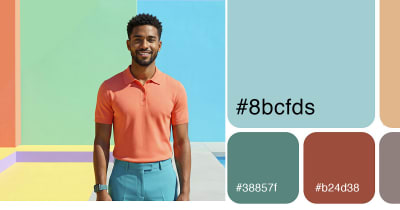 Color palette generatorPull HEX, RGB, CMYK, and Pantone codes from any image
 Contrast checkerCheck color contrast for accessible, readable designs
 Convert DOC to PDFTurn any Word document into a print ready PDF instantly
 Business card makerCreate custom business cards and download print ready files
 Sticker sheet makerArrange your designs and print custom sticker sheets
 Sticker makerDesign custom die cut stickers in any shape from your artwork
 Instagram name makerTurn your Instagram handle into a custom sticker in seconds


