
 CAD
CAD
 USD
USD
 EUR
EUR
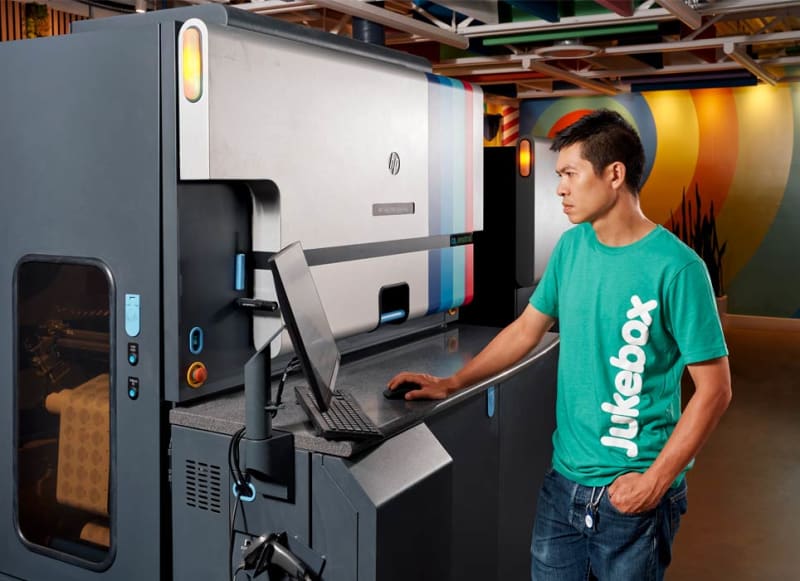

Online printing is the process of creating, uploading, and ordering printed products through a connected platform. You configure your product, upload your files, and the system moves your order into production automatically.
How Online Printing Works
Jukebox is a connected online printing system that takes your design from file to finished product: automatically, accurately, and at scale.
What Is Online Printing
Online printing is about having everything in one place. You upload your file, choose your product, and your order moves forward. No back and forth, no waiting for confirmations, no wondering what happens next.
What makes it different is what happens behind the scenes. Once your file is uploaded, it is prepared and moved into production automatically, so you do not have to manage every step yourself.
At the same time, your order is set up, scheduled, and tracked. From file approval to production status to shipping updates, everything is handled online in one continuous flow.
If you are ready to move into production, you can start printing online directly through the Jukebox homepage. That is what makes online printing faster, more reliable, and easier to manage, whether you are printing business cards, stickers, postcards, roll labels, books, or marketing materials.
How Online Printing Works
From upload to final output, online printing follows a connected workflow.
1
Upload or Create Your Design
Most online printing projects begin with a file. You can upload existing artwork or create a design using built-in tools. The business card maker and sticker maker let you build and export print-ready files directly. Common formats include PDF, AI, EPS, SVG, PNG, and JPG.

2
Prepare the File for Print
Once uploaded, the file needs to match production requirements: dimensions, bleed, safe area, color mode, and resolution. Tools like the background remover and image upscaler clean up artwork before it goes into production.

3
Choose the Product and Specifications
After the artwork is ready, you select the product, size, material, finish, and quantity. This is where online printing becomes powerful. The same file can often be adapted across different products and formats.

4
Move Into Production
Once approved, the file enters production. Files move through a structured system that connects order data, print preparation, and manufacturing steps together automatically.
5
Ship the Final Printed Product
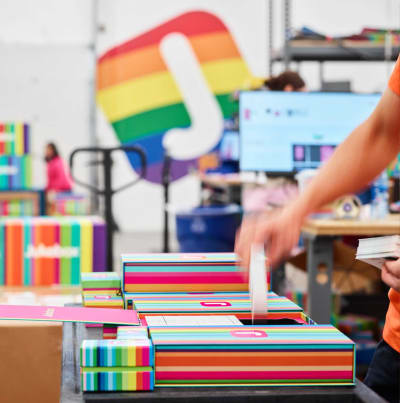
After production and finishing, the printed product is packed and shipped. The entire process, from first upload to final delivery, is designed to be consistent, trackable, and efficient.
Online Printing vs Traditional Printing
Online printing and traditional printing follow completely different workflows, and understanding this difference is key when choosing how to produce your materials.
Online printing connects your files directly to a production system. You configure your product, upload your artwork, and your order moves forward automatically through a structured workflow built for speed and consistency.
For most modern projects, online printing offers faster turnaround, more flexibility, and greater control over the final result. This is why businesses, designers, and creators now choose a connected online printing platform.
| Feature | Online Printing | Traditional Printing |
|---|---|---|
| Ordering | Website-based and self-serve | Requires coordination before production |
| File Handling | Digital upload and structured review | Requires separate file submission steps |
| Speed | Fast and repeatable | Longer configuration and approval time |
| Customization | Broad product options available online | More steps to configure options |
| Scalability | Designed for repeated or high-volume workflows | Harder to scale consistently |
| Accessibility | Available from anywhere, at any time | Depends on location and operating hours |
| Consistency | Standardized and repeatable | Varies by operator and process |
What Makes a Modern Online Printing System Different
Most production systems treat design, file handling, and production as separate steps. A modern online printing system connects them.
At Jukebox, file preparation, product configuration, and production run through one connected workflow. That means fewer friction points and a more consistent path from artwork to finished product.
Automated file pipeline
Every order at Jukebox moves through an automated pipeline. From file submission to production output, the system handles each step without interruption.
Runs as a system
Jukebox runs as a deeply integrated production infrastructure. Every order is processed through a structured system built for precision, reliability, and high demand.
Built for scale
The system supports everyday orders, creative custom work, and repeatable business needs without relying on manual coordination. As an online printing company, Jukebox connects product selection, file handling, and production within one system.
What You Can Print Online
Online printing can support a wide range of products, from simple brand materials to packaging and custom promotional pieces.
Business Cards
Create standard or premium cards online with a wide range of stocks, finishes, and print-ready options.
Online printing for business cardsCustom Stickers
Print custom stickers in different shapes, materials, and finishes built for branding, packaging, and creative use.
Online sticker printingCustom Postcards
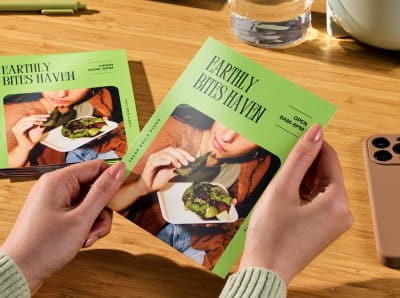
Simple, direct, and powerful. A format that works for promotions, announcements, and mail campaigns.
Online postcard printing
Roll Labels
Designed for products and packaging. Built for durability, clean application, and consistent results across surfaces.
Order roll labels online
Marketing Materials
Flyers, brochures, magnets, and notepads. Everything that supports everyday marketing and brand presence.
Order marketing materials online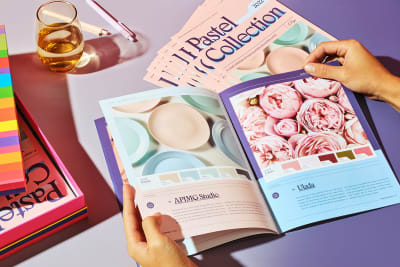
Custom Books
Short-run booklets to full publications, printed with clean binding, sharp detail, and consistent quality across every page.
Order books onlineReady to move from file to finished product? Start printing online at Jukebox.
Tools That Support Online Printing
Good online printing starts with a good file. Jukebox tools help users create artwork, improve image quality, remove backgrounds, and prepare print-ready files in the same ecosystem.
Business Card Maker
Design your business cards online with full control over layout and typography. Export a print-ready file instantly.
Create business cards onlineSticker Maker
Create custom stickers online. Upload your artwork, choose your shape, and generate a print-ready file in seconds.
Create stickers onlineSticker Sheet Maker
Arrange multiple stickers on a single sheet. Mix shapes and sizes, then export directly to print.
Create sticker sheets onlineRemove Background
Remove backgrounds in seconds. No login required, no limits, and full resolution output ready for print.
Remove background from imagesImage Upscaler
Improve image quality and sharpness before printing. Ideal for files that need to scale without losing detail.
Upscale images for printDoc to PDF Tool
Convert documents into clean, print-ready PDFs. Make sure your files are formatted correctly before production.
Convert documents to PDFBest File Types for Online Printing
Choosing the right file format makes the difference between a clean print and a production delay. Here is a complete breakdown of every format that works in a modern online printing workflow.
The 300 DPI rule is not absolute.
300 DPI is the standard recommendation, but it is not always required. Stickers at 150 DPI often look excellent in production, especially on vinyl with vibrant ink. The real factor is how the file is prepared, not just the number. If your resolution is lower than ideal, the Jukebox image upscaler can bring it up before production. No redesign needed.
| File Type | Vector or Raster | Color Mode | Best For | Notes |
|---|---|---|---|---|
| Both | CMYK preferred | Business cards, postcards, all products | The gold standard. Preserves fonts, bleeds, and vector paths. Always export with bleed and crop marks. | |
| PNG | Raster | RGB | Stickers, logos with transparency | Excellent for stickers. Supports transparency. Works perfectly with the Sticker Maker. Low res? Run it through the image upscaler first. |
| AI | Vector | CMYK preferred | Logos, icons, scalable artwork | Native Adobe Illustrator format. Scales perfectly at any size. Outline fonts before submitting. |
| EPS | Vector | CMYK preferred | Logos, brand assets, scalable artwork | Industry standard for vector exchange. Widely compatible across production systems. |
| SVG | Vector | RGB | Sticker Maker, die-cut shapes | Great for custom cut paths and shape artwork. Works well directly in the Sticker Maker tool. |
| JPG | Raster | RGB | Photos, full-bleed artwork | Works well at high resolution. No transparency support. If the file is low-res, use the image upscaler before uploading. |
| TIFF | Raster | CMYK or RGB | Photography, high-detail artwork | Lossless format. Excellent for photography-heavy print. Large file size but maximum quality retention. |
| PSD | Raster | CMYK or RGB | Complex layered artwork | Flatten all layers and export to PDF or TIFF before submitting. Native PSD is not typically used for final production. |
| INDD | Both | CMYK preferred | Books, multi-page documents | InDesign native format. Always export as a PDF with packaged fonts and embedded links for production. |
CMYK vs RGB: what actually matters for print
Screens display in RGB. Printers output in CMYK. When you submit an RGB file, the system converts it automatically, but colors can shift in ways that are hard to predict, particularly vibrant greens and blues. If color accuracy matters for your brand, convert to CMYK in your design software before uploading. Read our full RGB vs CMYK guide for print or see why the K in CMYK matters.
Resolution: the 300 DPI recommendation
300 DPI is the standard recommendation for crisp print output. But it is a guideline, not a hard rule. Sticker files at 150 DPI frequently print with excellent results, particularly on vinyl with high-opacity inks. If your file resolution is lower than ideal, run it through the Jukebox image upscaler before production. For a complete walkthrough of file setup for stickers, see our die-cut sticker file guide. Low resolution is not always a blocker.
Trusted by global brands


Ready to Start Printing Online
Now that you understand how online printing works, the next step is choosing your product and moving into production.



